
About the catalog
The catalog is the list of packages your organization allows. It lives under Packages, which has four tabs:
| Tab | Use it to |
|---|---|
| Catalog | See your packages, their latest approved version, trust state, pending versions and update policy. |
| Discover | Search the WinGet community source and add packages. |
| Baselines | Group packages into standard sets. See Baselines. |
| Sources | See where community packages come from and when they last synced. |
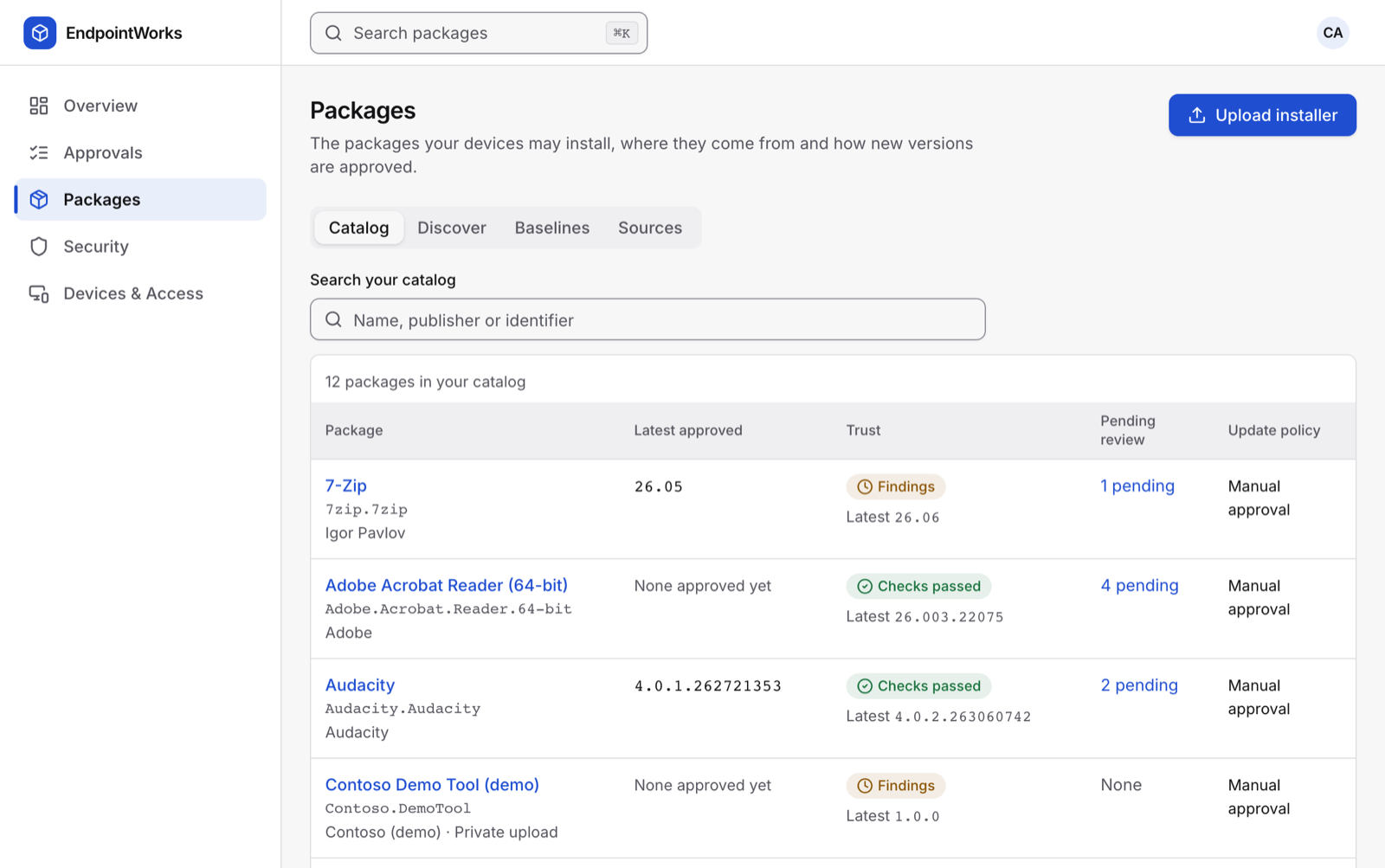
A package in the catalog doesn’t reach devices by itself. Each version must be approved first. See Review and approve a version.
Where packages come from
Section titled “Where packages come from”- WinGet community. The platform syncs an allowlisted set of packages from the WinGet community repository, every 6 hours by default. Devices download these installers from the vendor URL in the manifest.
- Your uploads. Installers you upload are stored by EndpointWorks and served only to your organization, through your source key.