
Checks and trust states
Every version in your catalog is checked. The results set its trust state.
Checks
Section titled “Checks”| Check | What it does | Finding |
|---|---|---|
| Manifest policy | HTTPS installer URL, a valid SHA-256, a known installer type, a publisher | Varies |
| Installer hash | Downloads the vendor installer and compares its SHA-256 with the manifest. Uploads are re-hashed from storage | Mismatch: Critical |
| Antivirus | Scans the installer bytes | Detection: Critical |
| Static analysis | File type, architecture, signature present, packers, entropy | Packed: Medium. Unsigned: Low |
| Hash reputation | MalwareBazaar lookup, when the platform has it configured | Known bad: Critical |
| Vulnerabilities | NVD, CISA KEV and EPSS, through your rules | Your rules |
| Advisories | Issues you or the platform recorded | The advisory’s severity |
Installer analysis runs when a version is added, when an upload finishes, on demand, and again at least every 7 days for new signatures.
Trust states
Section titled “Trust states”| Badge | Meaning |
|---|---|
| Checks passed | Every check ran and found nothing |
| Findings (High) and so on | Something was found. The highest severity is shown |
| Scan failed | A scan couldn’t complete. Never shown as clean |
| Not scanned / Scanning… | The checks haven’t finished |
The installer hash shows as Verified, Not verified yet, Could not verify or Mismatch.
What “Checks passed” means
Section titled “What “Checks passed” means”It means these checks found nothing. It doesn’t prove an installer is safe. Static analysis reports whether a signature is present, not whether it is valid.
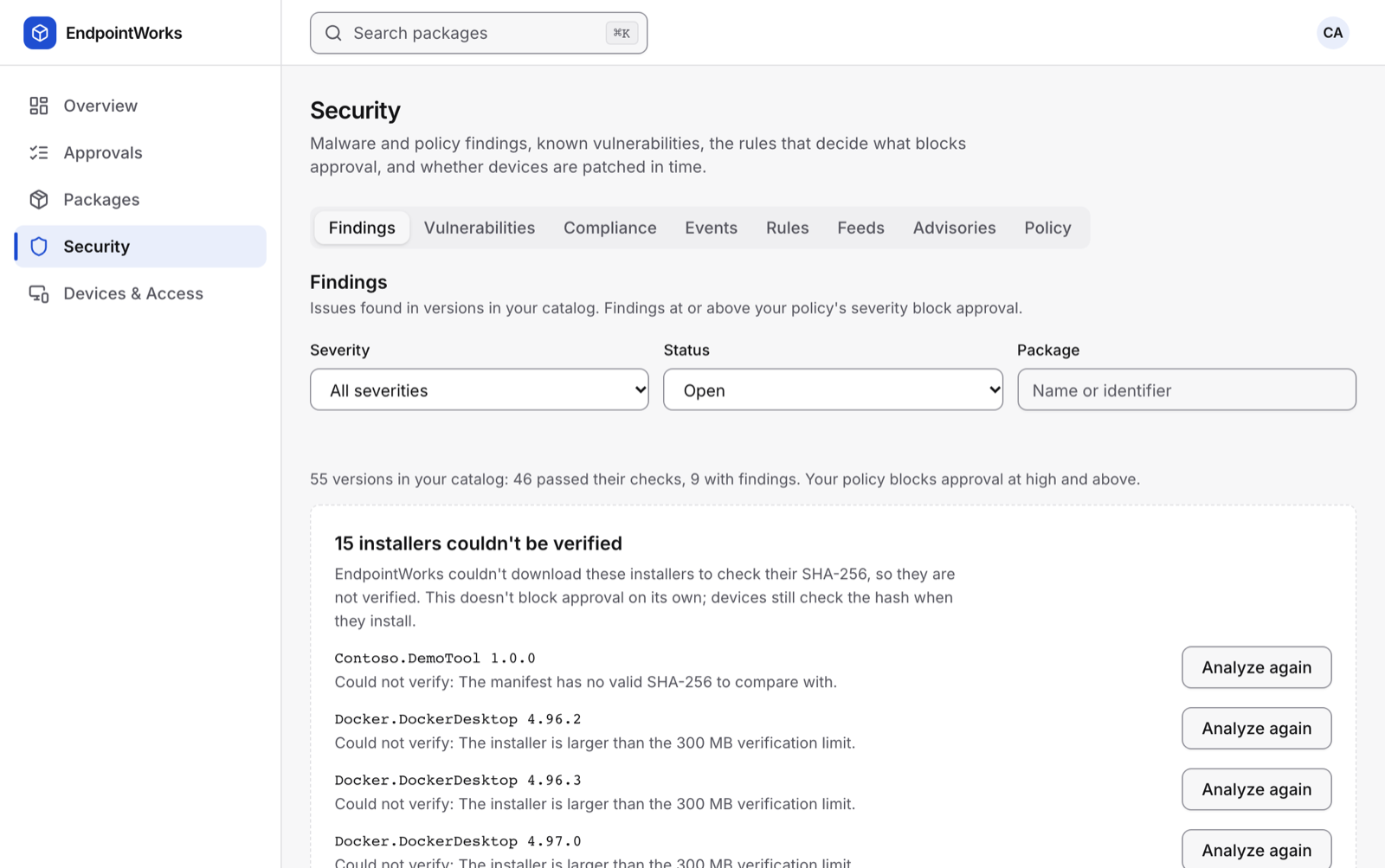
Run the analysis again
Section titled “Run the analysis again”- Go to Security › Findings.
- Choose Analyze installer on a version, or Analyze again on one that couldn’t be verified.